
NPM packages
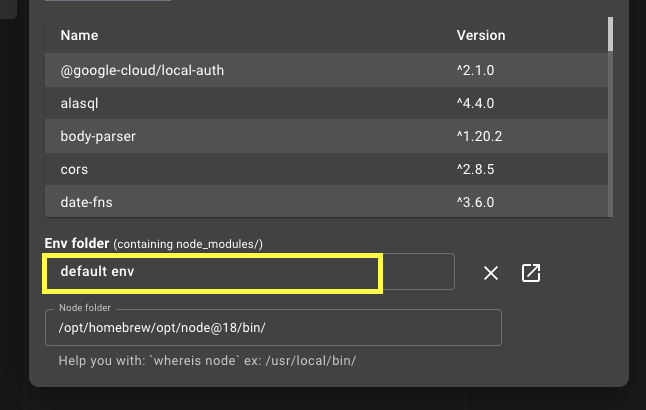
By default, the NPM environment is located within the Znote app folder. You can override it to use one of your own project folders instead.
Open your NPM environment
To open the current Znote environment folder, create a bash code block and run:
bash
open .Use a custom NPM environment
Want to use a specific project folder for your note?
- Open the NPM packages dialog.
- Select a local directory that contains a package.json file.
This overrides the default NPM environment.
Initialize a custom environment
If your selected directory isn't initialized yet, run:
sh
npm initInstall NPM packages
Create a bash code block in your note and run:
sh
npm i -S PACKAGEThe package is then available to require/import from your code blocks.